🎮 How the Quiz Game Works
The Code Rocket Launch is a gamified assessment tool designed to test your programming skills. You can play quizzes in 8 languages: C, C++, Java, Python, JavaScript, SQL, HTML, or CSS. The game is linear—each correct answer fuels your rocket directly.
50 Questions & Timers
Each quiz contains exactly 50 randomized coding questions from a language pool. The questions are categorized into three types, each with specific timer limits and points:
- Multiple Choice (MCQ): 15-second countdown timer. Correct answers yield 10 points.
- Output Prediction: 20-second countdown timer. Correct answers yield 20 points.
- True or False: 10-second countdown timer. Correct answers yield 5 points.
Fueling the Rocket
Every correct answer adds fuel to your rocket. Incorrect answers or skipped questions (due to timers running out) add no fuel.
Rocket Launch at 35 Correct Answers
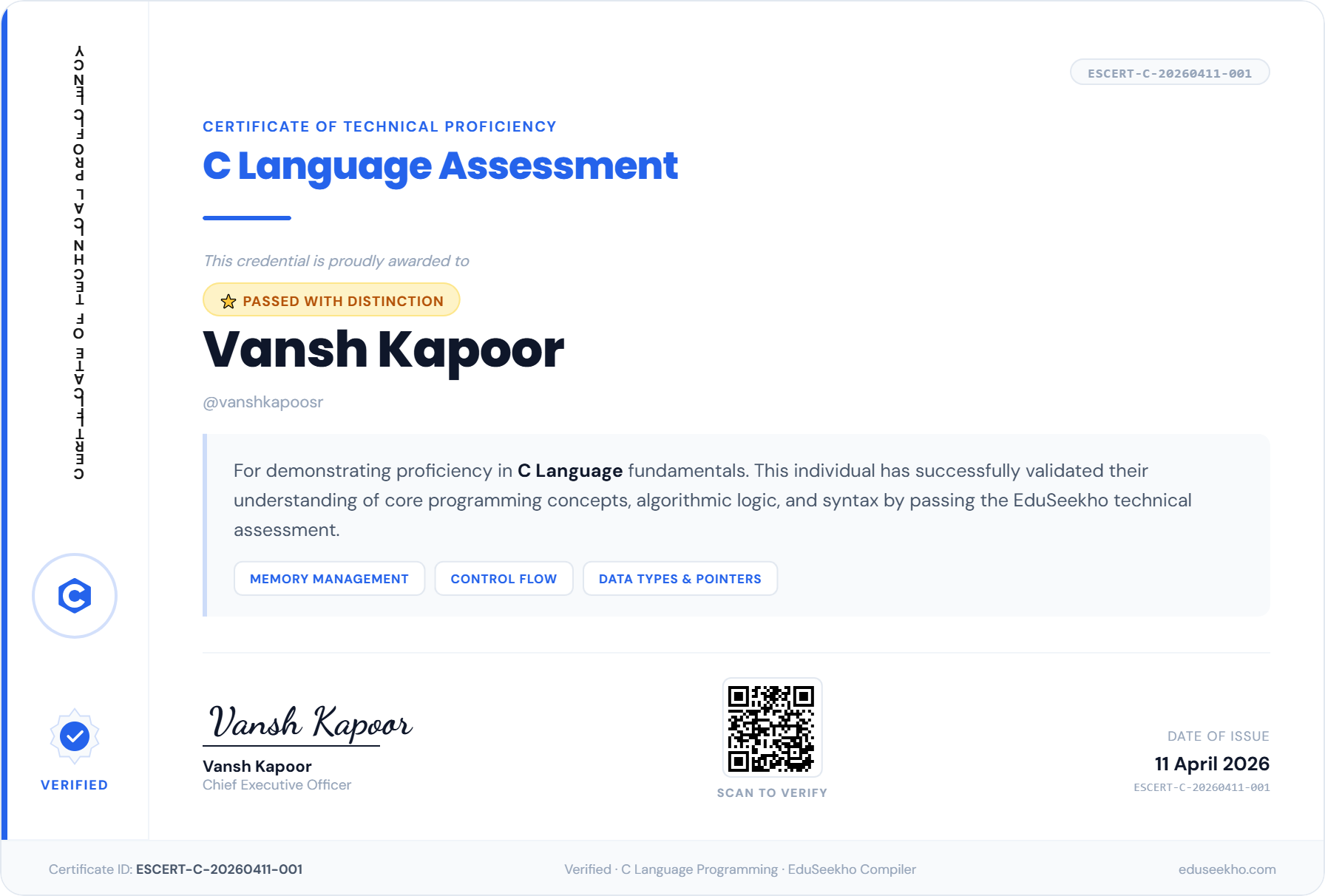
As soon as you score 35 correct answers, your fuel reaches 100%. The rocket triggers ignition and launches immediately! Hitting this milestone generates your digital certificate. If you answer all 50 questions correctly (50/50), you earn a Distinction Certificate, celebrated with screen-wide fireworks!
🧪 Try the Interactive Rocket Launch Simulator
Simulate correct answers below to watch the fuel fill up and launch the rocket. You need 35 correct answers to launch:
💾 Auto-Saving & Resume Active Games
Do you need to stop playing for a moment? Don't worry about losing your progress.
Auto-Save Functionality
Every answer you submit is saved instantly in our database. You can close the tab or log out without losing your score.
Resuming Games
When you return to `/quiz`, the dashboard will detect your active game. Click Resume Game to start exactly on the board square you left off.
🏅 Viewing and Downloading Certificates
After launching your rocket, your certificate is generated automatically and is permanent.
Dashboard Badges
Your compiler dashboard will show a 🏅 Certified badge with the date issued under the corresponding language card.
Download as PDF or Image
Click View Certificate to open your digital credential. You can save it as an image, print it, or save a copy to your computer.
Unique Certificate Verification
Every certificate contains a unique verification code (like ESCERT-JAVA-20260610-001). Anyone (such as recruiters, teachers, or peers) can enter this code on our public verification portal to instantly check its authenticity, issuance date, student name, and status.
Example Certificate Pass