

There's a moment every C programmer remembers — writing their first program to print 'Hello, World!'. It's a simple program, but it opens the door to understanding how C works. Here’s how our program looks and what it does.
Prerequisites for Writing the Hello World Program in C
Before you write your first 'Hello, World!' program in C, make sure you have:
- A basic understanding of C syntax, especially the int main() function.
- The C Standard Input and Output library included:
<stdio.h>. - Any C compiler such as GCC 9 or newer — or just run it in the EduSeekho online compiler.
Source Code of C Program to Write Hello World
Below is the code to display 'Hello, World!' in the C programming language. It's short and simple.
// A simple C program to print Hello, World!
#include <stdio.h>

int main() {
    printf("Hello, World!\n");
    return 0;
}
Try this code yourself — free
Run it in the EduSeekho online compiler. No setup needed.
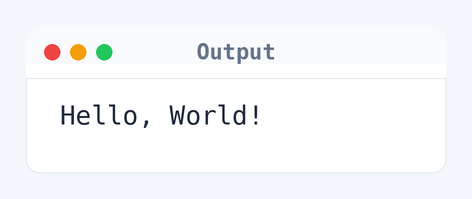
Output of the Hello World Program
When you run this program, it will simply display:
Hello, World!
Algorithm to Write Hello World in C
To print 'Hello, World!' in C, these are the steps the program follows:
- Include the C Standard Input and Output library with
<stdio.h>. - Define the
main()function which is the entry point of the program. - Use the
printf()function to output "Hello, World!". - Return
0to indicate successful execution.
flowchart TD
  A([Start]) --> B[Include stdio.h]
  B --> C[Define main function]
  C --> D{Print Hello, World?}
  D -->|Yes| E[/Print "Hello, World!"/]
E --> F([End])How the C Program to Write Hello World Works
Let's break down what each line in this program does:
#include <stdio.h>- This line includes the standard input-output library, which allows us to useprintf().int main()- This is the main function where the execution starts.printf("Hello, World!\n")- Theprintffunction is used to print text to the screen. Here, it prints 'Hello, World!'.return 0;- This line ends the main function and returns a value of 0 to the operating system, indicating that the program executed successfully.
Quick Quiz — test your understanding
Tap an option to check your answerWhat library is necessary to use the printf function in a C program?
Time and Space Complexity of the C Program to Write Hello World
Analyzing the complexity of this simple program can still be insightful.
Time Complexity: O(1). The program runs a fixed number of steps regardless of the input, specifically just printing a line with printf(). This means the time taken does not increase with input size or any external factor.
Space Complexity: O(1). The program uses a fixed amount of memory for the execution because it's only storing minimal data such as the return type of main() and the output string in printf(). No other variables are defined.
Common mistake: If you forget to include <stdio.h>, you'll hit a compilation error since printf won't be recognized.
Key takeaway: The 'Hello, World!' program is a rite of passage that introduces you to the structure of a C program. It's small but powerful in its simplicity.
FAQs About C Program to Write Hello World
Here are some questions beginners often ask when creating a 'Hello, World!' program in C.
printf() function.puts() can display text too, but it’s not as flexible as printf().int main() to show you're returning an integer, which is what most C compilers expect.Related Programs
If you found this program helpful, check out these related programs:
- C Program to Find the Size of int, float, double and char
- C Program to Display its own Source Code as Output
- C Program to Print an Integer Entered by the User
- C Program to Read the First Line From a File
- C Program to Add Two Integers with Explanation and Output
Conclusion
This 'Hello, World!' program might be the first step, but it lays the foundation for more complex programming journeys. Try extending it by learning how to accept user input next. Keep practicing, and you'll soon be exploring more advanced C programming territory.
Test your skills with our C quiz and start coding right away with our online C compiler.