

When you’re working with C, knowing how much memory different data types use is super important. This program's gonna show you how to find the size of int, float, double, and char variables. It’s pretty simple but essential for managing memory.
Prerequisites for Finding Data Type Sizes in C
Before you begin, make sure you're familiar with:
- The
sizeof()operator in C - Basic C syntax and data types
- Any C compiler such as GCC 9 or newer — or just run it in the EduSeekho online compiler
Source Code of C Program to Find the Size of int, float, double and char
Here's the complete C code to determine the size of these data types.
#include <stdio.h>

int main() {
    // Declare and print sizes of various data types
    printf("Size of int: %zu bytes\n", sizeof(int));
    printf("Size of float: %zu bytes\n", sizeof(float));
    printf("Size of double: %zu bytes\n", sizeof(double));
    printf("Size of char: %zu bytes\n", sizeof(char));
    return 0;
}
Try this code yourself — free
Run it in the EduSeekho online compiler. No setup needed.
Output of the Find Size of int, float, double and char Program
Run the program to see the memory usage for each data type.
Size of int: 4 bytes
Size of float: 4 bytes
Size of double: 8 bytes
Size of char: 1 byte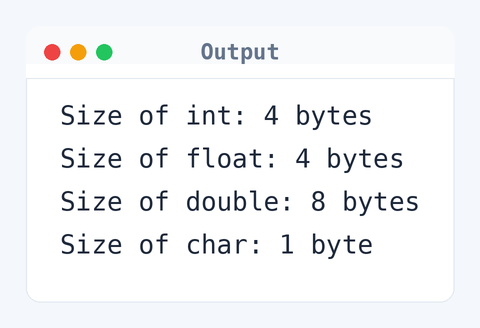
Algorithm to Find Data Type Sizes in C
This program uses the sizeof() operator to calculate the memory size of each data type, which is then printed out. Here's how the program does it:
- Declare the sizes of int, float, double, and char using the
sizeof()operator. - Print the size of each data type in bytes using
printf.
flowchart TD
  A([Start]) --> B[Declare variables]
  B --> C[/Print size of int/]
  C --> D[/Print size of float/]
  D --> E[/Print size of double/]
  E --> F[/Print size of char/]
  F --> G([End])
How the Size Finding Program Works
Let's break down the code to understand how it measures data type sizes.
#include <stdio.h>: This line includes the standard input-output library, which is necessary for theprintfstatement.int main(): The main function where execution starts.printf: Used to display the size of each data type, formatted using%zufor size_t, returned bysizeof.sizeof(int),sizeof(float),sizeof(double),sizeof(char): These expressions return the size in bytes of the respective data types.return 0;: Indicates that the program finished successfully.
Quick Quiz — test your understanding
Tap an option to check your answerWhich function is used to find the size of a data type in C?
How Fast Is the Size Finding Program in C?
Understanding the time and space complexity gives us insight into the program’s efficiency.
Time Complexity: O(1). This program executes a fixed number of printf statements regardless of the input, making it constant time.
Space Complexity: O(1). The program uses only the memory required for four printf calls and no additional variables that grow with input.
Common mistake: Assuming sizeof() gives the size in bits instead of bytes.
Key takeaway: Using sizeof() is a smart way to see how much memory different data types take up in C.FAQs About Finding Data Type Sizes in C
Here are some common questions about the program:
sizeof() operator helps you figure out how much memory different data types need, which is key for optimizing memory usage.sizeof() doesn’t evaluate the expression. It just returns the size of the data type.sizeof is an operator in C, not a function. Simple as that.Related Programs
If you found this program helpful, check out these related programs:
- C Program to Write Hello World - Full Code and Output
- C Program to Print an Integer Entered by the User
- C Program to Display its own Source Code as Output
- C Program to Add Two Integers with Explanation and Output
- C Program to Multiply Two Floating-Point Numbers
Conclusion
Now you’ve seen how handy the sizeof() operator is for understanding memory usage in C. Try playing around with other data types or custom structures. It'll really boost your knowledge of memory. Keep practicing!
Test your skills with our C programming quiz or dive deeper with the EduSeekho online compiler.