

Printing an integer that a user enters is one of the easiest things to do in C programming. It helps you get used to user input and output in C. So let’s build a quick program for this. You’ll learn how to ask the user, grab their input, and show it back. For instance, if you type 42, the program will print it just like that.
Prerequisites for the C Program to Print an Integer
Before you write the program, ensure you have the following:
- Basic understanding of C syntax.
- Knowledge of
scanf()andprintf()functions. - Any C compiler such as GCC 9 or newer — or just run it in the EduSeekho online compiler.
Source Code of C Program to Print an Integer Entered by the User
Here is the complete code for reading and printing an integer in C.
#include <stdio.h>

int main() {
    int number;

    // Prompt the user for an integer
    printf("Enter an integer: ");

    // Read the integer
    scanf("%d", &number);

    // Print the integer
    printf("You entered: %d\n", number);

    return 0;
}
Try this code yourself — free
Run it in the EduSeekho online compiler. No setup needed.
Output of the Print Integer Program
When you run this program, it'll ask for an integer and display it back.
Enter an integer: 5
You entered: 5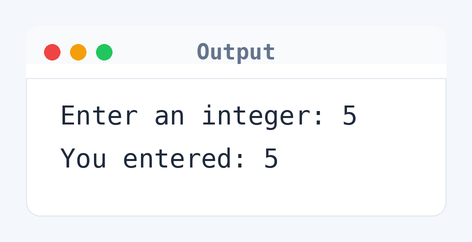
Algorithm to Print an Integer in C
Printing an integer involves reading user input and displaying it. Here's how the program achieves that in simple steps.
- Start the program.
- Prompt the user to enter an integer.
- Read the integer using
scanf(). - Print the integer using
printf(). - End the program.
flowchart TD
  A([Start]) --> B[/Prompt user for an integer/]
  B --> C[Read the integer]
  C --> D[Print the integer]
  D --> E([End])
How the C Program to Print an Integer Works
Here's a line-by-line explanation of the code.
#include <stdio.h>: Includes the standard input-output library necessary forprintf()andscanf().int main(): The main function where program execution begins.int number;: Declares an integer variablenumberto store user input.printf(): Prompts the user with the message "Enter an integer".scanf(): Reads the integer input by the user and stores it innumber.printf(): Outputs the user input with the message "You entered: %d".return 0;: Indicates that the program executed successfully.
Quick Quiz — test your understanding
Tap an option to check your answerWhat C function is used to read an integer from user input?
Time and Space Complexity of the C Program to Print an Integer
Understanding the efficiency of this simple program involves considering both time and space.
Time Complexity: O(1). The operations in this program — prompting, reading, and printing — occur in constant time. Each task takes the same amount of time, regardless of the input size.
Space Complexity: O(1). Only the variable number is used to store the integer. This requires a fixed amount of memory, irrespective of the user input.
Common mistake:Not using the ampersand (&) before the variable number in scanf(). This is key because scanf() needs a memory address.
Key takeaway:The scanf() function is vital for getting user input in C. Don't forget to use the right format specifier and a variable to catch the input.FAQs About C Program to Print an Integer
Here are some common questions beginners ask about this program.
scanf() function won’t save it in number. The program might go a bit haywire or crash.%f or %lf in scanf().main() is the usual way to say this.Related Programs
If you found this program helpful, check out these related programs:
- C Program to Write Hello World - Full Code and Output
- C Program to Find the Size of int, float, double and char
- C Program to Display its own Source Code as Output
- C Program to Write a Sentence to a File
- C Program to Read the First Line From a File
Conclusion
This straightforward program illustrates how to manage user input in C. Getting this part down is important, as it sets you up for more complicated programs. Once you nail this, try adding other data types. Keep practicing.
Wrap up by testing your skills with our C language quiz and play around with this code in the EduSeekho online compiler.