

Converting numbers between different bases is a common task in programming. Say you have an octal number, 17. How do you find its binary equivalent using C? This program walks you through it step by step. Soon, you'll be able to convert any octal number to binary and know exactly how it works.
Prerequisites for Octal to Binary Conversion in C
Make sure you have these:
- Understanding of the
%and/operators. - Familiarity with
whileloops andifconditions. <stdio.h>for standard input and output.- Any C compiler such as GCC 9 or newer — or just run it in the EduSeekho online compiler.
Source Code of C Program to Convert Octal to Binary
Here's the complete code that converts an octal number to its binary equivalent.
#include <stdio.h>

void decimal_to_binary(int decimal) {
    int binary[32], i = 0;
    while (decimal > 0) {
        binary[i] = decimal % 2;
        decimal /= 2;
        i++;
    }
    for (int j = i - 1; j >= 0; j--)
        printf("%d", binary[j]);
    printf("\n");
}

int main() {
    int octal, decimal = 0, base = 1;
    printf("Enter an octal number: ");
    scanf("%d", &octal);

    while (octal != 0) {
        int rem = octal % 10;
        decimal += rem * base;
        base *= 8;
        octal /= 10;
    }

    printf("Binary equivalent: ");
    decimal_to_binary(decimal);

    return 0;
}
Try this code yourself — free
Run it in the EduSeekho online compiler. No setup needed.
Output of the Convert Octal to Binary Program
The following is the expected output when you run the program.
Enter an octal number: 17
Binary equivalent: 1111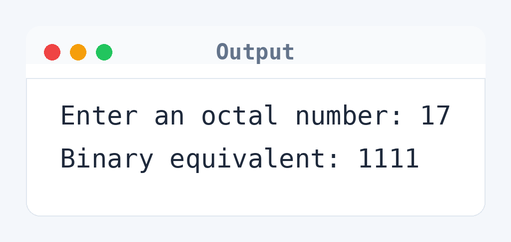
Algorithm to Convert Octal to Binary in C
Converting an octal number to binary involves two main steps: converting octal to decimal, followed by decimal to binary. This is the step-by-step logic the program uses.
- Read the octal number from the user.
- Initialize
decimal = 0andbase = 1. - Check if the octal number is not zero.
- Extract the last digit using
rem = octal % 10. - Add
rem * basetodecimal. - Multiply
baseby 8. - Remove the last digit by performing
octal /= 10. - Repeat steps 3-7 until all digits are processed.
- Convert the
decimalto binary.
flowchart TD
  A([Start]) --> B[/Read octal number/]
  B --> C[initialize binary = 0]
  C --> D[initialize base = 1]
  D --> E{"octal != 0?"}
  E -->|Yes| F[rem = octal %% 10]
  F --> G[decimal = decimal + rem * base]
  G --> H[base = base * 8]
  H --> I[octal = octal / 10]
  I --> E
  E -->|No| J[call decimal_to_binary(decimal)]
J --> K([End])How the C Program to Convert Octal to Binary Works
Let's break down how this program converts octal to binary.
#include <stdio.h>: Includes the standard library for input and output functions.int main(): The main function where execution starts.- Declare variables
octal,decimal, andbase:decimalandbaseinitialize to zero and one, respectively. printfandscanfare used to prompt and read the octal number from the user.- The
whileloop runs as long as the octal is not zero, extracting each digit using%and/. - The remainder
remis multiplied bybaseand added todecimal. baseis updated to the next power of 8.- Once all digits are processed,
decimal_to_binaryis called to convert and print the binary equivalent. return 0: Terminates the program successfully.
Quick Quiz — test your understanding
Tap an option to check your answerWhy do we multiply by 8 in the octal to decimal conversion process?
Time and Space Complexity of the C Program to Convert Octal to Binary
Here's a look at the efficiency of this program.
Time Complexity: O(n). Here, n is the number of digits in the octal number you input. For example, if you input 17, n is 2. The while loop in the main function iterates over each digit of the octal number, and the decimal to binary conversion also processes each part individually. So, 2 digits mean 2 iterations in each conversion phase.
Space Complexity: O(1). The program uses a fixed amount of memory for variables like octal, decimal, and base, which do not grow with the size of the input.
Common mistake: Forgetting to update the base when converting octal to decimal will result in incorrect calculations.
Key takeaway: Converting between number systems like octal and binary often involves some intermediate steps to decimal.
FAQs About C Program to Convert Octal to Binary
Here are some common questions about converting octal numbers to binary using C.
printf and scanf from <stdio.h> are used for input and output.Related Programs
If you found this program helpful, check out these related programs:
- C Program to Convert Binary to Octal with Sample Output
- C Program to Convert Binary to Decimal with Code and Output
- C Program to Convert Binary to Decimal and Vice-Versa
- C Program to Convert Hexadecimal to Decimal
- C Program to Convert Decimal to Octal
Conclusion
Coding conversions between number systems can be pretty fascinating. The logic here is super handy for formatting outputs, error checking, or even data compression tasks. If you've got an interest in number systems, try exploring hexadecimal conversions next. It builds on the same principles but with a few new twists.
Practice more with the C quiz or run this program in the EduSeekho online C compiler again for a deeper understanding.