

Binary numbers are the basis of computing. But if you're working with humans, decimals are often easier to understand. So, converting binary to decimal in C is a handy skill. For instance, the binary 1101 converts to decimal 13. Let’s see how you can write a program to make this conversion effortlessly.
Prerequisites for the C Program to Convert Binary to Decimal
Before diving into the code, ensure you understand these concepts:
- Character arrays and strings in C.
- Using loops for iteration.
- The
printf()andscanf()functions. - Any C compiler such as GCC 9 or newer — or just run it in the EduSeekho online compiler.
Source Code of C Program to Convert Binary to Decimal
Here's the complete code to convert a binary number to its decimal equivalent:
#include <stdio.h>

int main() {
    char binary[65];
    int i = 0, decimal = 0;

    // Read binary number from user
    printf("Enter a binary number: ");
    scanf("%s", binary);

    // Convert binary to decimal
    while (binary[i] != '\0') {
        decimal = decimal * 2 + (binary[i] - '0');
        i++;
    }

    // Output the decimal value
    printf("The decimal value is: %d\n", decimal);

    return 0;
}
Try this code yourself — free
Run it in the EduSeekho online compiler. No setup needed.
Output of the Convert Binary to Decimal Program
When you run the program and input a binary number, it outputs the decimal equivalent. Here's an example:
Enter a binary number: 1101
The decimal value is: 13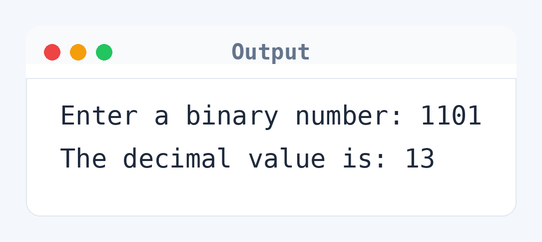
Algorithm to Convert Binary to Decimal in C
This C program reads a binary number and converts it into a decimal by processing each bit from left to right. Here's how it works step by step:
- Read the binary number as a string from the user.
- Initialize two variables:
ifor index anddecimalfor storing the result. - Loop through each bit in the string until the null terminator is reached.
- Convert the current binary digit to decimal and update the
decimalvariable. - Print the decimal equivalent.
flowchart TD
  A([Start]) --> B[/Read binary number as a string/]
  B --> C[i = 0, decimal = 0]
  C --> D{binary[i] != '\0'?}
  D -->|Yes| E["decimal = decimal * 2 + (binary[i] - '0')"]
  E --> F[i++]
  F --> D
  D -->|No| G[/Print decimal/]
G --> H([End])How the C Program to Convert Binary to Decimal Works
Let's break down the code to understand how the conversion happens:
#include <stdio.h>: This header file is required for input and output functions, such asprintfandscanf.char binary[65]: Declares an array to store the binary input, assuming a maximum of 64 bits plus the null terminator.int i = 0, decimal = 0: Initializes the index for the character array and a variable to store the resulting decimal number.scanf("%s", binary): Reads the binary number from the user as a string.while (binary[i] != '\0'): Loops through each character in the string until the end.decimal = decimal * 2 + (binary[i] - '0'): Calculates the decimal value by shifting left (multiplying by 2) and adding the current bit's value.i++: Moves to the next character in the binary string.printf("The decimal value is: %d\n", decimal): Outputs the calculated decimal value.
Quick Quiz — test your understanding
Tap an option to check your answerWhat is the decimal representation of binary 101?
How Fast Is the Convert Binary to Decimal Program in C?
Let's discuss how efficient this conversion process is:
Time Complexity: O(n). The loop goes through each bit of the binary number exactly once, checking each character and updating the decimal value. For a binary number with n digits — like 1101, which has 4 digits — it means 4 iterations.
Space Complexity: O(1). The program uses the same few variables: binary, i, and decimal. Their number doesn't change with the size of the input.
Common mistake: Don’t forget to convert binary characters from '0' and '1' to integer values using binary[i] - '0'.
Key takeaway: This program converts binary numbers to decimal efficiently using simple arithmetic, a fundamental operation in computer science.
FAQs About C Program to Convert Binary to Decimal
Here are answers to common questions about this conversion program:
Related Programs
If you found this program helpful, check out these related programs:
- C Program to Convert Decimal to Octal
- C Program to Convert Octal to Decimal
- C Program to Convert Octal to Binary
- C Program to Convert Binary to Octal
- C Program to Convert Binary to Decimal and Vice-Versa
- C Program to Convert Hexadecimal to Decimal
Conclusion
Binary to decimal conversion is important in many applications. Knowing this can set you up for more complex tasks with number systems. This code is a good jumping-off point for diving into binary arithmetic.
Practice your skills further with the C language intermediate quiz or run this code in the EduSeekho compiler.