

Figuring out if a number is prime is a pretty common task in programming. A prime number only divides by 1 and itself. Like, take 7 for instance; it's prime because its only divisors are 1 and 7. So, let’s see how to check this using Java.
What You Need Before Writing the Java Program to Find Prime Number
Before diving into the code, let's outline what's needed:
- Familiarity with
ifandforloops in Java - Understanding of conditional operators like
%(modulus) - A Java development environment, such as Eclipse or IntelliJ
- Alternatively, use the Java online compiler
Source Code of Java Program to Find Prime Number
Here's the complete Java code to determine if a number is prime:
import java.util.Scanner;

public class PrimeNumber {
    public static void main(String[] args) {
        Scanner scanner = new Scanner(System.in);
        System.out.print("Enter a number: ");
        int n = scanner.nextInt();
        boolean isPrime = true;

        if (n <= 1) isPrime = false;

        for (int i = 2; i * i <= n; i++) {
            if (n % i == 0) isPrime = false;
            break;
        }

        if (isPrime)
            System.out.println(n + " is a prime number.");
        else
            System.out.println(n + " is not a prime number.");
    }
}
Try this code yourself — free
Run it in the EduSeekho online compiler. No setup needed.
Output of the Find Prime Number Program
When you execute the above code, it will prompt you to enter a number. Here's an example of what the output might look like for the number 7:
Enter a number: 7
7 is a prime number.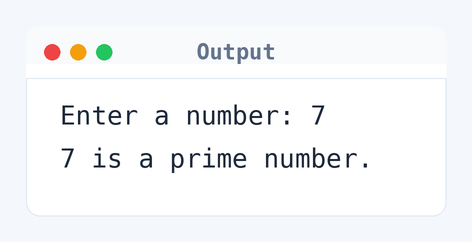
Algorithm to Find Prime Number in Java
To find if a number is prime, the program checks divisibility from 2 up to the square root of the number. Here is the exact logic used step by step.
- Read the integer
nfrom the user. - If
nis less than or equal to 1, it's not prime. - Initialize
ito 2. - While
i * i <= n, check ifn % i == 0. - If true,
nis not prime and exit loop. - If loop ends without setting not prime,
nis prime.
flowchart TD
  A([Start]) --> B[/Read n/]
  B --> C[i = 2]
  C --> D{n <= 1?}
  D -->|Yes| E([Output: Not Prime])
  D -->|No| F{n % i == 0?}
  F -->|Yes| E
  F -->|No| G{i * i <= n?}
  G -->|Yes| H[i = i + 1]
  H --> F
G -->|No| I([Output: Prime])How the Java Program to Find Prime Number Works
Let's break down the code to understand how it determines if a number is prime.
- The program starts by importing the
java.util.Scannerclass to read input from the user. - It asks the user to enter a number, which is stored in variable
n. - A
booleanvariableisPrimeis initialized totrue. This assumes the number is prime until proven otherwise. - The program checks if
n <= 1. If true,isPrimeis set tofalse. - A
forloop runs from 2 to the square root ofn, checking divisibility withn % i == 0. - If any divisor is found,
isPrimeis set tofalse, and the loop breaks. - Finally, the program prints whether
nis a prime number based on theisPrimeflag.
Quick Quiz — test your understanding
Tap an option to check your answerWhat is the purpose of checking 'i * i <= n' in the program?
How Fast Is the Prime Number Program in Java?
Let's analyze the time and space complexity of this program.
Time complexity: O(√n). Here, n is the number you're testing for primality. The program only checks divisibility up to the square root of n (e.g., i * i <= n), significantly reducing checks compared to going all the way to n. For instance, checking if 49 is a prime involves up to 7 checks, not 49.
Space complexity: O(1). The program uses a constant amount of extra space: only the Scanner object, the integer n, boolean isPrime, and loop counter i.
Common mistake: Not checking if n <= 1 can lead to wrong results for numbers like 0 and 1, which aren't prime.
Key takeaway: Efficiency in prime-checking improves by only looking at factors up to the square root.
FAQs About Java Program to Find Prime Number
Here are some common questions students have when working with prime numbers in Java.
n has to have a smaller one too.% helps figure out if n divides evenly by another number, which is super important for spotting non-prime numbers.n is prime at first means the program just has to prove it wrong. That simplifies things a lot.n = 2.Related Programs
If you found this program helpful, check out these related programs:
- Java Program to Print Fibonacci Series with Example Output
- Java Program to Find Duplicate Characters in a String
Conclusion
This Java program checks for prime numbers efficiently by using the properties of factors. Try tweaking the program to list all prime numbers up to a certain limit. Remember, programming's all about experimenting and learning. Keep at it!
Test your skills with our Java quiz and sharpen your code in the online compiler.