

Prerequisites for the ASCII Value Program in C
Before you start finding the ASCII value of a character using C, ensure you have these prerequisites:
- Understanding of character data types and variables in C.
- Familiarity with
printfandscanffunctions for input and output. - Knowledge of the
(int)typecasting technique to convert a character to its ASCII integer value. - Any C compiler such as GCC 9 or newer — or just run it in the EduSeekho online compiler, here.
Source Code of C Program to Find ASCII Value of a Character
Here's the complete code for finding the ASCII value of a character in C. It reads a character from the user and prints its ASCII value.
#include <stdio.h>

int main() {
    char character;
    int ascii_value;

    // Prompt the user for a character
    // Read the character input
    printf("Enter a character: ");
    scanf(" %c", &character);

    // Convert the character to its ASCII value
    ascii_value = (int) character;

    // Print the ASCII value
    printf("ASCII value of %c = %d\n", character, ascii_value);

    return 0;
}
Try this code yourself — free
Run it in the EduSeekho online compiler. No setup needed.
Output of the Find ASCII Value Program
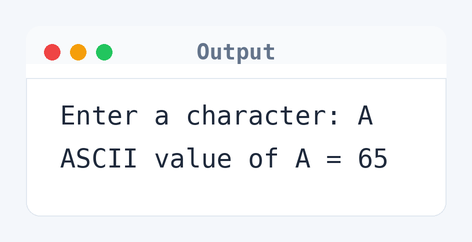
Run the program and you'll see this output when you enter a character:
Enter a character: A
ASCII value of A = 65
Algorithm to Find ASCII Value in C
Finding an ASCII value involves reading a character and converting it to its integer equivalent. Here's how the logic unfolds step by step.
- Read a character from the user.
- Convert the character to its ASCII value using typecasting.
- Print the ASCII value.
flowchart TD
  A([Start]) --> B[/Read character/]
  B --> C["ascii_value = (int) character"]
  C --> D[/Print ascii_value/]
  D --> E([End])
How the C Program to Find ASCII Value of a Character Works
Let's break down how the program works line by line, making it easier to understand.
#include <stdio.h>: This line includes the standard input-output library, essential for usingprintfandscanf.int main(): The main function where execution starts.char character;: Declares a variablecharacterto store user input.int ascii_value;: Declares an integer to store the ASCII value of the character.printf("Enter a character: ");: Prompts the user to enter a character.scanf(" %c", &character);: Reads the character input from the user.ascii_value = (int) character;: Converts the character to its corresponding ASCII value.printf("ASCII value of %c = %d\n", character, ascii_value);: Displays the ASCII value of the character.return 0;: Ends the program successfully.
Quick Quiz — test your understanding
Tap an option to check your answerWhat is the ASCII value of the character 'A'?
Time and Space Complexity of the C Program to Find ASCII Value of a Character
Examining the time and space efficiency of this program helps us understand its performance.
Time Complexity: O(1). The program executes a fixed number of operations, including reading the input and printing the output, regardless of the character entered.
Space Complexity: O(1). The program uses only a few variables: character and ascii_value, occupying a constant amount of memory.
Common mistake: Missing the space in the scanf format string can cause unexpected input problems.
Key takeaway: Figuring out ASCII values is key for understanding character encodings.
FAQs About the C Program to Find ASCII Value
Here are some frequently asked questions about this program:
(int) changes the character to its ASCII integer value.scanf(" %c", &character); makes sure it reads the character right.Related Programs
If you found this program helpful, check out these related programs:
- C Program to Check Whether a Character is a Vowel or Consonant
- C Program to Check Whether a Character is an Alphabet
- C Program to Display Characters from A to Z Using Loop
- C Program to Sort Elements in Lexicographical Order
- C Program to Count Vowels and Consonants in a String
Conclusion
Getting ASCII values really helps with text processing tasks. This program’s a simple way to convert characters to their number counterparts. It sets you up for more advanced string manipulation later. Try converting whole strings to their ASCII values for more insight.
Test your C skills further with our C programming quiz or run more codes in our online C compiler.