

Sometimes you need to check if a character is a letter, like A or z. That's where this C program comes in handy. It checks whether the character you provide is an alphabet. If you've got a program that needs to tell apart alphabets and other characters, like numbers or symbols, this will do the job. When you run this program, you'll see how it evaluates both uppercase and lowercase letters.
Prerequisites for the Check Character Alphabet Program in C
Before you write this program, ensure you understand:
- Using
#include <stdio.h>for I/O functions chardata type for characters- The relational operators
>=and<= - Any C compiler such as GCC 9 or newer — or just run it in the EduSeekho online compiler
Source Code of C Program to Check Whether a Character is an Alphabet or not
Here's the complete code to determine if a character is an alphabet:
#include <stdio.h>

int main() {
    char ch;
    printf("Enter a character: ");
    scanf(" %c", &ch);

    // Check if ch is an alphabet
    if ((ch >= 'A' && ch <= 'Z') || (ch >= 'a' && ch <= 'z')) {
        printf("It is an alphabet.\n");
    } else {
        printf("It is not an alphabet.\n");
    }

    return 0;
}
Try this code yourself — free
Run it in the EduSeekho online compiler. No setup needed.
Output of the Check Character Alphabet Program
Here's what you can expect when you run the program:
Enter a character: A
It is an alphabet.

Enter a character: 1
It is not an alphabet.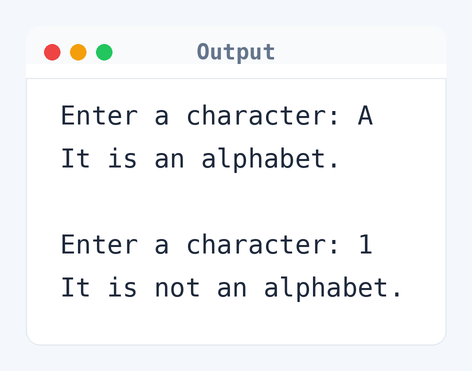
Algorithm to Check a Character in C
To determine if a character is an alphabet, the program checks its ASCII value. Here's the step-by-step logic.
- Read the character input from the user.
- Check if the character is between 'A' and 'Z' or between 'a' and 'z'.
- If true, print that it is an alphabet.
- If false, print that it is not an alphabet.
flowchart TD
  A([Start]) --> B[/Read a character/]
  B --> C{Is character an alphabet?}
  C -->|Yes| D[Print "It is an alphabet."]
  C -->|No| E[Print "It is not an alphabet."]
  D --> F([End])
E --> FHow the C Program to Check Character Alphabet Works
Let's walk through how this program works, line by line:
- The program begins with the
#include <stdio.h>directive to allow input and output operations. - We declare a
charvariablechto store the character input. printf("Enter a character: ");prompts the user to input a character.scanf(" %c", &ch);reads the character and stores it inch.- The
ifstatement checks ifchis an alphabet using conditionsch >= 'A' && ch <= 'Z'for uppercase andch >= 'a' && ch <= 'z'for lowercase. - If true,
printf("It is an alphabet.\n");executes. - Otherwise, the
elseblock executesprintf("It is not an alphabet.\n");. - Finally,
return 0;indicates the program has finished successfully.
Quick Quiz — test your understanding
Tap an option to check your answerWhich ASCII range represents uppercase alphabets?
Time and Space Complexity of the Check Character Alphabet Program in C
Analyzing the performance of this program is straightforward.
Time Complexity: O(1). Since this program performs a fixed number of operations to check the character, the time taken doesn’t increase with input size. It evaluates the conditions ch >= 'A' and ch <= 'Z' directly.
Space Complexity: O(1). The program only uses a single char variable ch, which means memory usage is constant regardless of input.
Common mistake:Forgetting to use the logical OR operator || correctly can lead to incorrect results. Make sure both uppercase and lowercase checks are there.
Key takeaway:This program efficiently checks a single character with minimal resources.
FAQs About Checking Character Alphabet in C
Here are answers to some common questions about this program:
Related Programs
If you found this program helpful, check out these related programs:
- C Program to Display Characters from A to Z Using Loop
- C Program to Sort Elements in Lexicographical Order
- C Program to Count Vowels and Consonants in a String
- C Program to Remove all Characters Except Alphabets
- C Program to Find the Frequency of Characters in a String
Conclusion
Checking if a character is an alphabet is a basic yet essential operation in many applications. It's a straightforward program that shows character handling in C. If you're curious about character manipulation, try playing around with vowel checking next. You'll find that tweaking this code can teach you even more about conditional logic and ASCII values.
Ready for more practice? Test your skills with the C language quiz and try modifying this code in the EduSeekho online compiler.