

Printing the English alphabet from A to Z is a basic task that helps you get loops and character handling in C. This simple program uses a loop to go from A to Z. Let’s check out how to do this with a for loop.
Prerequisites for the C Program to Display Characters from A to Z
Before you write this program, make sure you're familiar with the following:
- The
forloop for iteration. - Basic character operations using ASCII values.
- The
<stdio.h>library for input/output functions. - Any C compiler such as GCC 9 or newer — or just run it in the EduSeekho online compiler.
Source Code of C Program to Display Characters from A to Z Using Loop
Here's the complete C code for this program:
#include <stdio.h>

int main() {
    char ch = 'A';
    for (ch = 'A'; ch <= 'Z'; ch++) {
        printf("%c ", ch);
    }
    return 0;
}
Try this code yourself — free
Run it in the EduSeekho online compiler. No setup needed.
Output of the Display Characters A to Z Program
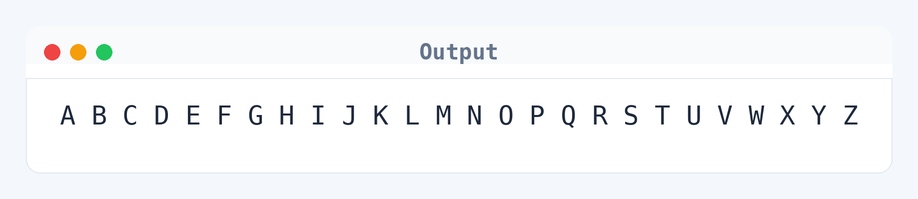
When you run this program, it prints the alphabet from A to Z:
A B C D E F G H I J K L M N O P Q R S T U V W X Y Z
Algorithm to Display Characters from A to Z in C
Displaying characters from A to Z involves iterating through their ASCII values using a loop. Here is the exact logic, step by step:
- Initialize a character variable
chwith the value'A'. - Use a
forloop to iterate whilechis less than or equal to'Z'. - Inside the loop, print the current value of
ch. - Increment
chto move to the next character. - Repeat steps 2-4 until
chexceeds'Z'.
flowchart TD
  A([Start]) --> B[Initialize char ch = 'A']
  B --> C{"ch <= 'Z'?"}
  C -->|Yes| D[Print ch]
  D --> E[Increment ch]
  E --> C
C -->|No| F([End])How the C Program to Display Characters from A to Z Works
Let's break down the program line by line to understand how it works:
- The line
#include <stdio.h>includes the standard input/output library, necessary for usingprintf. - The
main()function is where the program execution begins. - We declare a
charvariablechand initialize it with'A'. - The
forloop starts withch = 'A', checks the conditionch <= 'Z', and incrementschafter each iteration. - Inside the loop,
printf("%c ", ch);prints the current character followed by a space. - When
chsurpasses'Z', the loop ends, and the program concludes withreturn 0;.
Quick Quiz — test your understanding
Tap an option to check your answerWhat loop is typically used to display characters from A to Z in C?
Time and Space Complexity of the C Program to Display Characters
Let's explore how efficient this program is in terms of performance:
Time Complexity: O(1). The loop runs a fixed number of 26 iterations, one for each letter in the English alphabet. The loop statement is for (ch = 'A'; ch <= 'Z'; ch++). It means the work doesn't grow — 26 iterations whether you run it today or tomorrow.
Space Complexity: O(1). The program uses a constant amount of memory — just the variable ch and a couple of control variables inside the loop which don't scale with input.
Common mistake: Not incrementing the character variable ch in the loop leads to an infinite loop.
Key takeaway: Loops for handling character sequences efficiently is a basic skill in C programming.
FAQs About C Program to Display Characters from A to Z
Here are some common questions beginners have about this program:
ch would lead to an infinite loop since the condition ch <= 'Z' stays true forever.while loop works too. But, a for loop's often better for its neat syntax when you know how many times to iterate.Related Programs
If you found this program helpful, check out these related programs:
- C Program to Remove all Characters Except Alphabets
- C Program to Find the Frequency of Characters in a String
- C Program to Check Whether a Character is a Vowel or Consonant
- C Program to Check Whether a Character is an Alphabet
- C Program to Find ASCII Value of a Character
Conclusion
Printing characters from A to Z gives you a nice start with loops in C. Once you’re comfy, try changing the range to print lowercase or numeric characters. This skill’s super useful for creating simple text-based games or apps. As you move on, think about diving into more string manipulations in C.
Practice more with the C language quiz and give your programs a spin in the EduSeekho online compiler.