

When you're coding in C, figuring out the factors of a number means checking which integers divide it evenly. If you've done any math with divisors, this should ring a bell. Take the number 12, for instance. Its factors are 1, 2, 3, 4, 6, and of course, 12. Let’s dive into how to do this with a straightforward C program.
Prerequisites for Displaying Factors Program in C
Before writing the code, ensure you have these ready:
- Understanding of int data type to store integers.
- Familiarity with the
forloop, which we'll use to iterate through possible factors. - Knowledge of the modulus operator
%%to check divisibility. - Any C compiler such as GCC 9 or newer — or just run it in the EduSeekho online compiler.
Source Code of C Program to Display Factors of a Number
Here's the C code to find and display all factors of a given number.
#include <stdio.h>

int main() {
    int n, i;
    // Ask the user for input
    // Display factors of the number
    printf("Enter a number: ");
    scanf("%d", &n);
    printf("Factors of %d are: ", n);
    for (i = 1; i <= n; i++) {
        if (n %% i == 0) {
            printf("%d ", i);
        }
    }
    return 0;
}
Try this code yourself — free
Run it in the EduSeekho online compiler. No setup needed.
Output of the Display Factors Program
When you run the program and input a number, it lists all its factors.
Enter a number: 12
Factors of 12 are: 1 2 3 4 6 12 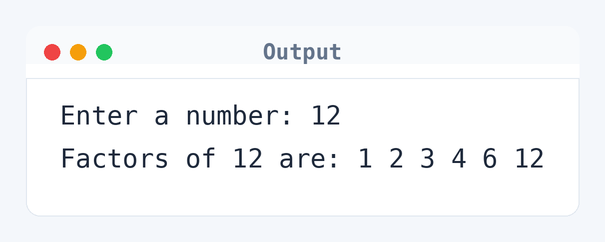
Algorithm to Display Factors in C
Displaying factors involves dividing the number by all smaller or equal integers. Here is the exact logic the program uses, step by step.
- Read the integer
nfrom the user. - Initialize
ito 1. - Check if
iis less than or equal ton. - If
n %% i == 0, printias a factor. - Increment
iby 1 and repeat steps 3-5. - End when all possible factors are checked.
flowchart TD
  A([Start]) --> B[/Read n/]
  B --> C[i = 1]
  C --> D{"i <= n?"}
  D -->|Yes| E{"n %% i == 0?"}
  E -->|Yes| F[/Print i/]
  E -->|No| G[i++]
  F --> G
  G --> D
D -->|No| H([End])How the C Program to Display Factors Works
Let's break down the code to understand each part:
#include <stdio.h>includes the standard input-output library, essential for usingprintfandscanf.- The
mainfunction begins the program execution. - Variables
nandiare declared as int to store the number and the iterator. printf("Enter a number: ")prompts the user for input.scanf("%d", &n)reads the user input and stores it inn.- The
forloop runs from 1 ton. For eachi, ifn %% iis 0,iis a factor and printed. return 0indicates the program executed successfully.
Quick Quiz — test your understanding
Tap an option to check your answerWhat is the purpose of using the modulus operator in this program?
Time and Space Complexity of the C Program to Display Factors
This program's efficiency can be measured by its time and space complexity.
Time Complexity: O(n). Here, n is the number you input. The for loop iterates through every integer from 1 to n, as seen in for (i = 1; i <= n; i++). If you input 100, the loop runs 100 times, checking each integer to see if it's a factor.
Space Complexity: O(1). The program uses a fixed amount of space. It only requires n for the input and i for iteration, so regardless of the input size, it doesn't need extra memory.
Common mistake: Forgetting to check for factors beyond half of the number can miss factors, but this code correctly checks up to the number itself.
Key takeaway: Checking divisibility with the modulus operator is key for finding factors effectively.
FAQs About Displaying Factors in C
Here are some common questions about this program.
Related Programs
If you found this program helpful, check out these related programs:
- C Program to Check Prime or Armstrong Number Using User-defined Function
- C Program to Check Armstrong Number
- C Program to Display Armstrong Number Between Two Intervals
- C Program to Check Whether a Number is Prime or Not
- C Program to Display Prime Numbers Between Two Intervals
Conclusion
To really get the hang of this code, try different numbers and see how fast you can find the factors. It’s a great way to practice loops and conditions in C. If you're interested, check out prime factorization next — it’s a cool extension of this idea.
Try out more C programs and sharpen your skills with our C quizzes and online compiler.