

Armstrong numbers are pretty fascinating. They’re those numbers that equal the sum of their own digits each raised to the power of how many digits there are. In this C program, you’ll find out how to locate all the Armstrong numbers between two intervals. For example, between 100 and 999, you’ve got 153 and 370 as Armstrong numbers. Let’s dive in to see how it works.
Prerequisites for the C Program to Display Armstrong Numbers
Ensure you're ready with:
- Familiarity with
<stdio.h>for I/O functions. - Understanding of loops, especially the
forloop. - Usage of
ifstatements for conditions. - Any C compiler such as GCC 9 or newer — or just run it in the EduSeekho online compiler.
Source Code of C Program to Display Armstrong Number Between Two Intervals
Below is the complete source code to identify Armstrong numbers within specified limits:
#include <stdio.h>

int main() {
    int lower, upper, num, original, rem, sum;
    // Input the lower and upper bounds
    printf("Enter the lower limit: ");
    scanf("%d", &lower);
    printf("Enter the upper limit: ");
    scanf("%d", &upper);

    // Check each number in the interval
    printf("Armstrong numbers between %d and %d are:\n", lower, upper);
    for (num = lower; num <= upper; num++) {
        original = num;
        sum = 0;
        // Sum of cubes of its digits
        while (original != 0) {
            rem = original % 10;
            sum += rem * rem * rem;
            original /= 10;
        }
        if (sum == num)
            printf("%d\n", num);
    }
    return 0;
}
Try this code yourself — free
Run it in the EduSeekho online compiler. No setup needed.
Output of the Armstrong Number Program
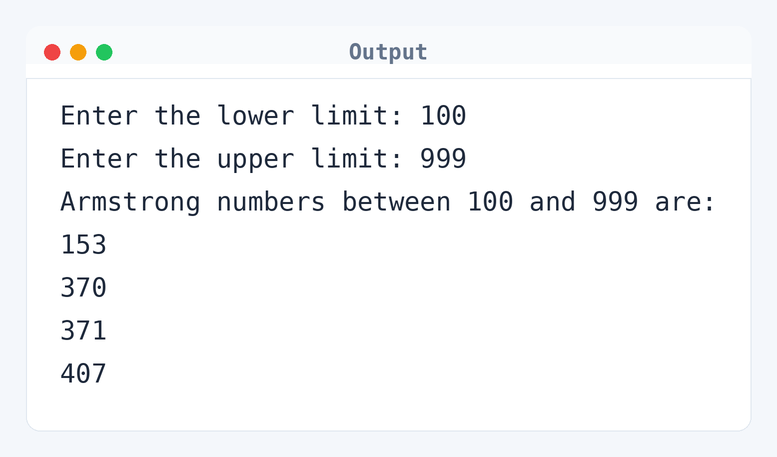
Here's what the output looks like when you run this program:
Enter the lower limit: 100
Enter the upper limit: 999
Armstrong numbers between 100 and 999 are:
153
370
371
407
Algorithm to Display Armstrong Numbers in C
An Armstrong number is equal to the sum of its digits each raised to the power of the number of digits. Here's how the program identifies these numbers between two intervals:
- Read the lower and upper limits from the user.
- For each number between the lower and upper limits:
- Initialize
sumto 0 andoriginalto the current number. - While
originalis not zero: - Extract the last digit using
original % 10. - Add the cube of that digit to
sum. - Remove the last digit by dividing
originalby 10. - After exiting the loop, check if
sumequals the number. - If they are equal, print the number as an Armstrong number.
- Continue to the next number until the upper limit is reached.
flowchart TD
  A([Start]) --> B[/Read lower and upper/]
  B --> C["for (int num = lower; num <= upper; num++)"]
  C --> D[sum = 0]
  D --> E[digit = 0]
  E --> F[original = num]
  F --> G{"original != 0?"}
  G -->|Yes| H["digit = original %% 10"]
  H --> I["sum += digit^3"]
  I --> J[original /= 10]
  J --> G
  G -->|No| K{"sum == num?"}
  K -->|Yes| L[/Print num is Armstrong/]
  K -->|No| M[/Continue loop/]
  L --> N[/Increment num/]
  M --> N
  N --> O{"num <= upper?"}
  O -->|Yes| D
O -->|No| P([End])How the Armstrong Number Program Works
Let's see how the code executes to find Armstrong numbers:
#include <stdio.h>includes the standard input/output library functions.int main()is the starting point of every C program.scanf()reads the user input for the lower and upper limits.- The
forloop iterates over each number between the specified limits. - Within the loop,
sumis initialized to 0 for each number. - A
whileloop extracts digits and computes their cube sum. ifstatement checks for equality betweensumandnum.- If the condition is true, the number is printed as an Armstrong number.
return 0;signifies the end of the program.
Quick Quiz — test your understanding
Tap an option to check your answerWhat defines an Armstrong number in context?
Time and Space Complexity of the Armstrong Number Program
Evaluating time and space requirements is crucial for understanding performance.
Time Complexity: O(n * d). Here, n is the number of numbers between the lower and upper limits, and d is the number of digits in each number. In the worst case, each digit is processed separately, as seen in the loop while (original != 0). For example, if there are 900 numbers and each has 3 digits, the loop runs about 2700 times.
Space Complexity: O(1). The program uses a fixed number of integer variables like lower, upper, num, original, rem, and sum. Their count doesn't change with input size, so the space used remains constant.
Common mistake:Not updating original in the loop can lead to an infinite loop.
Key takeaway: Armstrong numbers show how simple math can uncover cool patterns with loops and conditions.
FAQs About Armstrong Numbers in C
Here are some common questions about finding Armstrong numbers in C.
Related Programs
If you found this program helpful, check out these related programs:
- C Program to Check Prime or Armstrong Number Using User-defined Function
- C Program to Check Whether a Number is Prime or Not
- C Program to Display Prime Numbers Between Two Intervals
- C Program to Check if a Number is Sum of Two Primes
- C Program to Check Armstrong Number
Conclusion
Creating a program to find Armstrong numbers is not just a fun task; it's also a neat way to learn how to handle loops and conditions effectively. Experiment with different intervals. You might spot more patterns or find ways to optimize. And then, challenge yourself by checking numbers in a different base.
Ready for more? Test your coding skills with our C quiz or try out new programs in the EduSeekho online compiler.